显示标签为“iphone 6”的博文。显示所有博文

2015年4月20日星期一

Top 5 Most Common iPhone 6 Issues You May Come Across

Top 5 Most Common iPhone 6 Issues You May Come Across


Everyone can Use Coupon Code(ETSASS0PI) for orders to buy brand new original cellphone replacement parts at www.etradesupply.com.


No.1 iPhone 6 Red Screen Issue:

Since the release of the iPhone 6 and 6+, many people have experienced a situation similar to this: they are using their iPhone and all of a sudden the phone’s screen turns red and gets stuck with on an Apple logo on screen. This problem may resolve itself later, or more often than not it lock up on the Apple logo screen until it ran out of power.
 
Possible causes and solutions:
1.       Software issue:
This maybe a software issue. Some people who have experienced this issue stated they were able to fix their phones by performing a hard reset, which you can also try. Simply hold down the power button until your iPhone 6 shuts down. Afterwards plug your iPhone into your computer with the lightening cable, then press and hold the power + home buttons down until you see the plug into iTunes prompt. Then follow the reset process through iTunes.
2.       Hardware issue:
This could also be a hardware issue. There are people who have claimed to fix the red screen issue by replacing their iPhone 5S’s proximity sensor (apparently doesn’t work on the iPhone 6). But this may not be the ideal choice for normal people like you and me, and the best choice is to contact Apple or visit an Apple Store to replace the phone. We recommend recording a video of the red screen in case this has only happened on occasional. 

No. 2 iPhone 6 won’t charge issue:
This is not a new issue, since the phone’s release many people have experienced and complained about this problem. The phone and charger work just fine until so random point in time they suddenly stop charging.

Possible causes and solutions:
Make sure you’re using the original cable and charger that came with your phone. If you are, try different cables, chargers/sockets to see where is the problem lines;
If your iPhone 6 is still unable to charge, make sure the connector on the cable and charging port for your iPhone 6 are clean and dust free. If they are dirty, just blow it out or use alcohol to clean them.
Resetting your iPhone 6 may also help to solve this issue. Simply hold down both the power button and home button for at least 10 seconds until you see the Apple logo appear. If you’ve tried all of the above steps and the problem still exists, you probably need to replace the charging port to fix it. If you are inexperienced in phone repair we recommend you take your phone to the Apple Store or a third party repair shop for help. If you are willing to try a DIY fix, here is the tutorial for you to follow.


No. 3 No service available, touch ID stops working
 
Possible causes and solutions:
It seems this issue mostly occurs on iPhone 6s that are running iOS 8.0.1. This is a bug in iOS 8.0.1; which can be solved by upgrading to the newest version of iOS.
Simply go to Settings > General > Software Update and tap Download and Install. This can also be done through iTunes. Plug your iPhone into your computer then click iTunes, then click Check for Update on the Summary 
Be sure you’ve already backed up your device before you do any of the above actions.
If updating your device to iOS 8.0.2 doesn’t solve the problem, then you could downgrade your iPhone 6 to iOS 8. First download the right IPSW file, here is a link to the file for the iPhone 6. Plug your device into the computer then click on iTunes. For Mac systems, you will need to hold the ALT key and click Restore then choose the IPSW file, on Windows systems, press the Shift key and choose the Restore option, then use the IPSW file.


No. 4 Broken Screen
 
Possible causes and solutions:
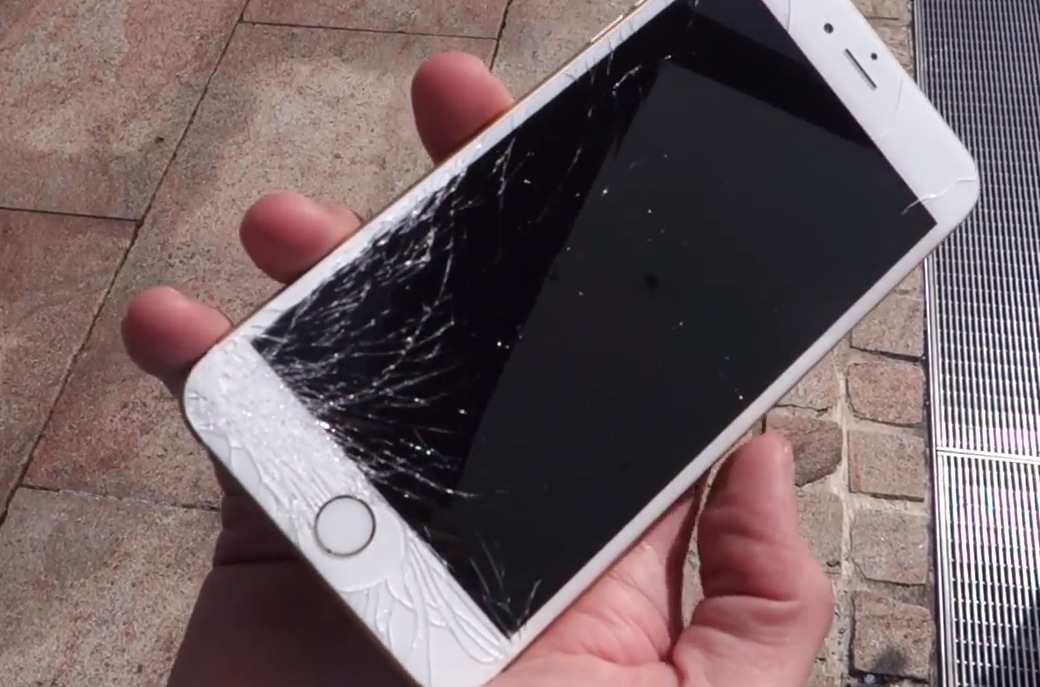
Though Apple has adopted Corning Gorilla Glass 3 for the iPhone 6 & 6+, a cracked screen is still the most annoying and common problem for users.

There are two options for this unfortunate issue:
1.       Go to the Apple store and let them replace your screen. Apple will charge you $109 for iPhone 6 and $129 for iPhone 6+;
2.       Check out our iPhone 6 screen replacement guide to repair it yourself! This will void your warranty but can save you money, check out our OEM iPhone 6 replacement screens.

No. 5 iPhone 6 battery drains quickly
 
Possible causes and solutions:
There are plenty of reasons why your battery drains quickly, so the first thing you should do is to find out what is causing the problem.
1.       Write down how much your iPhone 6 has left and then put your device down for 20~30 mins, after that, check how much battery is left. If there is no big difference, then the drain is due to heavy use; if it still drains fast, then it may be other problems;
2.       Check whether you are using Location Services, Background app refresh and Push Notifications; these three services require lots of power, turn them off if they are not necessary for you;
For Location Services, go to Settings>Privacy>Location Services, and turn off any app and system service that you don’t need tracking your location;
For Background app refresh, go to Settings>General> Background App Refresh, turn off the apps that are using background refresh;
For Push Notifications, go to Settings>Notifications and turn off any app that you don't’ need notifications for.
If you’ve used your phone for quite a long time, that to say, your phone has been fully charged over 300+ times, then this is a sign that you need to replace your battery. Follow our iPhone 6 battery replacement guide to replace it or let Apple/third party repair shop do it for you.

2015年2月11日星期三

Does Your iPhone 6 Need A Screen Protector?

Does Your iPhone 6 Need A Screen Protector?


iPhone 6 screen protector
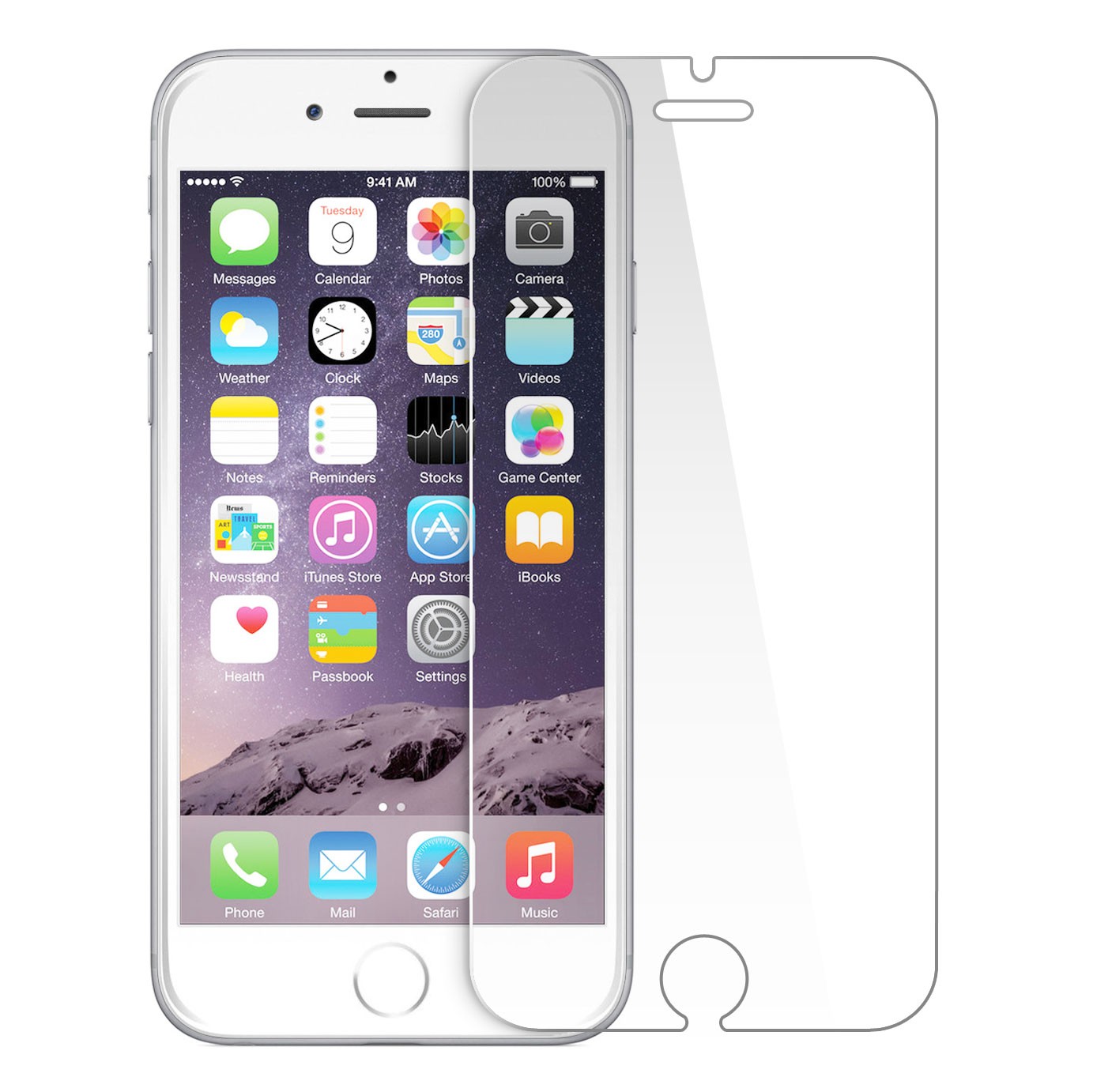
Many people will buy a screen protector or a protective case after buying a new phone. But is it necessary? Not so long ago, we talked about whether “your iPhone 6 needs a protective case”. Today, we’re going to discuss whether your iPhone 6 needs a screen protector or not.

The iPhone 6 is very well protected by shatterproof glass even before arriving in the consumer’s hand. However, users still feel like their iPhones need extra protection. Well, with modern technology, a screen protector is not a necessity anymore. The shatterproof glass or corning gorilla glass is scratch resistant, and can withstand scratches from daily use like from keys and coins. The iPhone 6 and other newer smartphones don’t really need screen protectors anymore.

Well, you may argue that scratches can obviously be seen on the protector after a few months or weeks of applying it so is has done its job! However, the sad truth is that most screen protectorsare made out of plastic, which is cheaper and less sturdy than glass. What may cause even the slightest scratch to a screen protector would do nothing to a naked iPhone 6 screen.

A glass screen protector is better than an ordinary one in terms of withstanding scratches, but they carry a higher price tag. Most tempered screen protectors are also roughly 0.25mm ~ 0.30mm thick, which will surely decrease the premium feeling of your iPhone 6 as well as reduce the touch responsiveness when using the device.

Then in what situation is a screen protector necessary? One of the biggest chances for your screen to get damaged is when at the beach. The hardness of sand is more than that of your phone’s screen, and any sand rubbing against your smartphone’s glass screen will scratch it. Hard rocks work similarly. So, a screen protector is definitely needed if you spend a lot of time around the sand or rocks. Otherwise it’s not a must-buy item.

2014年12月22日星期一

The Cost Of Repairing A Broken iPhone 6 Screen

The Cost Of Repairing A Broken iPhone 6 Screen

ATTENTION!!!!
1.Everyone can use this coupon code: ETS8OIID for orders on www.etradesupply.com over $50.
2.Everyone can use this coupon can use it only once.
3.The due date of this coupon is 31th, Dec, 2014


In September of 2014, an Australian named Jack Cooksey was the first to buy an iPhone 6 from Perth’s flagship store, as well as the first one to drop it right after he opened the box. During those first few days till now, floods of news have sprung up reporting cracked iPhone 6 screens. Consequently, users may wonder how much does it cost to repair a smashed iPhone 6 screen, here is a breakdown of the DIY costs to repair a broken iPhone 6 screen for your reference.
 iphone 6 cracked screen cost
1. Cost of replacing a front glass panel.
It doesn’t cost that much to replace only the glass on an iPhone 6, granted your phone’s screen is cracked but the display and touch still work as usual. However, it is a difficult and high-risk repair, and you run the risk of further breaking your screen if you’re not a professional or are unfamiliar to cellphone repair. A brand new and original iPhone 6 Glass Lens replacement is about $10.

2. Cost of repairing a touch screen.
As the touch screen is hermetically attached to the LCD display, the whole LCD assembly should be replaced considering the difficulty and risk, if your iPhone 6’s touch screen failed to respond after the damage it would be a much safer choice to replace the whole assembly. It is $160 to buy a replacement brand new original iPhone 6 LCD Screen and Digitizer Assembly with Frame.

3. Cost of repairing an LCD display.
The same difficulty and risk go into replacing an LCD as with replacing a touch screen. We recommend replacing the whole assembly if your iPhone 6’s screen goes black or displays the wrong colors after the damage. A replacement iPhone 6 LCD Screen and Digitizer Assembly with Frame will cost you less than $160.

If you want to replace the home button, you will need to buy the iPhone 6 LCD Screen and Digitizer Assembly with Frame and Home Button as well. This item is more expensive, about $200. However, with this item, the replacement work is much easier and less risky to perform. Please note that the replacement iPhone 6 home button supports all functions except for unlocking the screen with fingerprint, as the Touch ID sensor is tied to the unique logic board inside each iPhone.

4. DIY repair tools required.
●  Tweezers
You may also buy an iPhone repair tool kit instead, which covers all the tools you would need to repair an iPhone or iPad.

2014年12月20日星期六

Differences Between iPhone 6 and iPhone 6 Plus LCD Assembly

Differences Between iPhone 6 and iPhone 6 Plus LCD Assembly


Everyone can Use Coupon Code(ETS8OIID) for orders over $50 to buy brand new original cellphone replacement parts at www.etradesupply.com


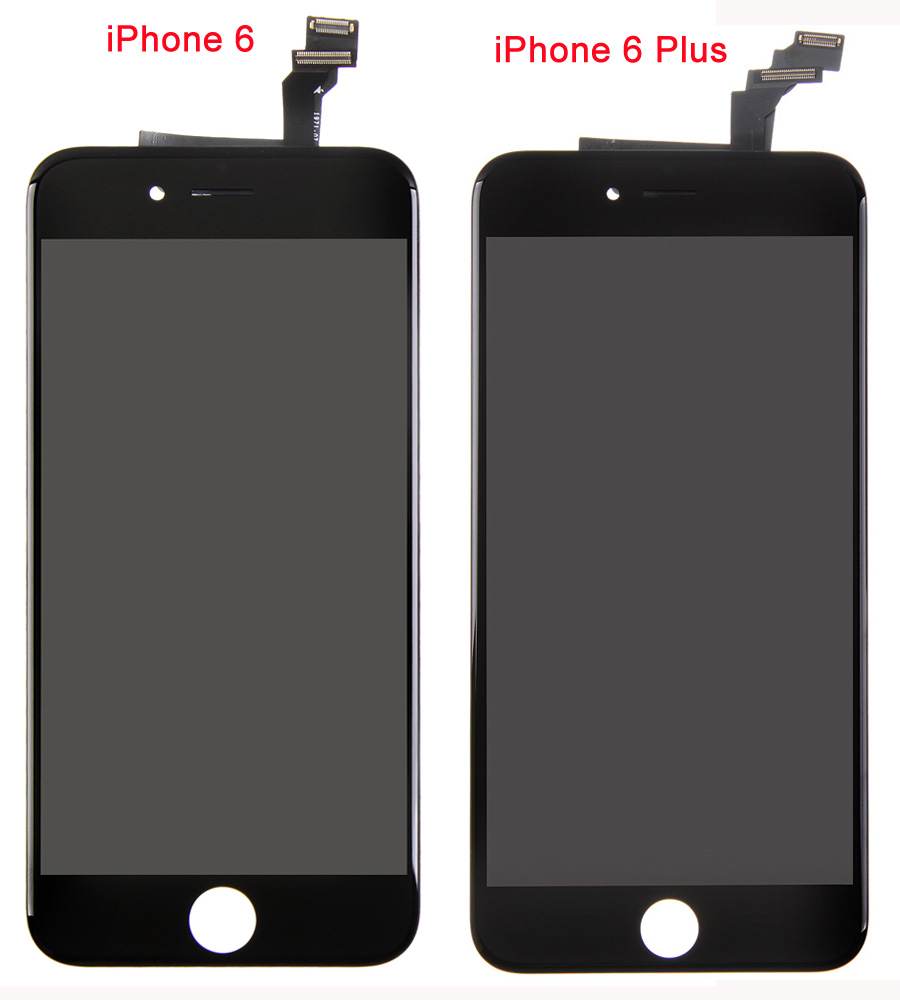
Since the iPhone 6 and iPhone 6 Plus were released this past September, we have noticed some obvious and some not so obvious differences between the two, in particular the screens. We all know that the iPhone 6 Plus has a larger screen size, which enables a larger viewing area for playing games, watching videos or even taking pictures. However, for one-handed performance, the iPhone 6 is undoubtedly a better choice, but with a higher resolution the iPhone 6 Plus’ screen is much sharper and brighter, quoted from users.
iphone 6 and iphone 6 screen comparison chart
From the chart, we can see that the main differences are the screen sizes and resolutions. Apart from those specs, what other differences do they have? Let’s take an informative tour of the iPhone 6 and iPhone 6 Plus’ LCD Assemblies.
iphone 6, 6 Plus Screen Comparison 1
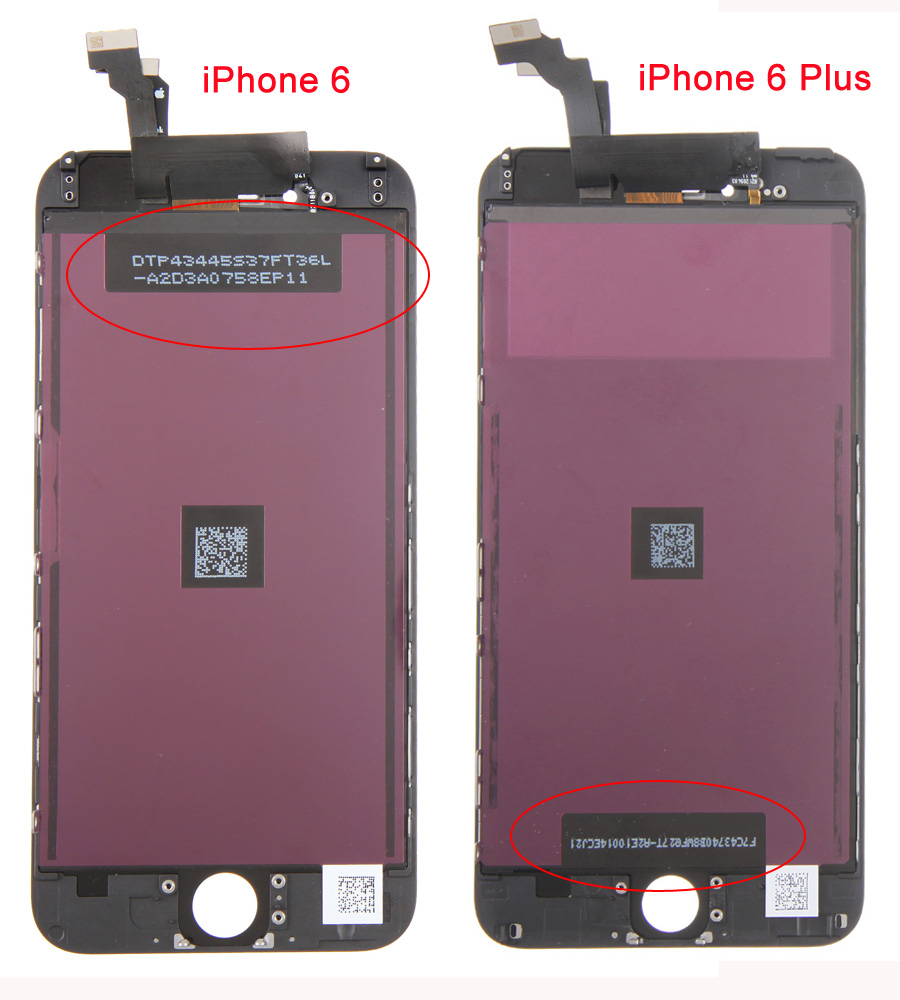
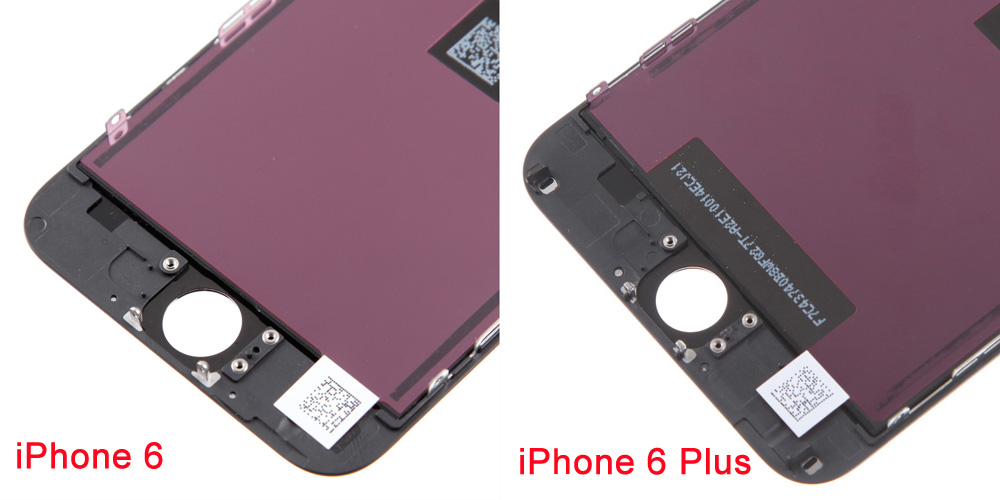
At first glance, the iPhone 6 LCD Assembly looks the same as the iPhone 6 Plus LCD Assembly, yet, differences still can be seen from the back sides. Obviously, one of the iPhone 6 QR Codes is near the top, while the iPhone 6 Plus has its position reversed.
iphone 6, 6 Plus Screen Comparison 2
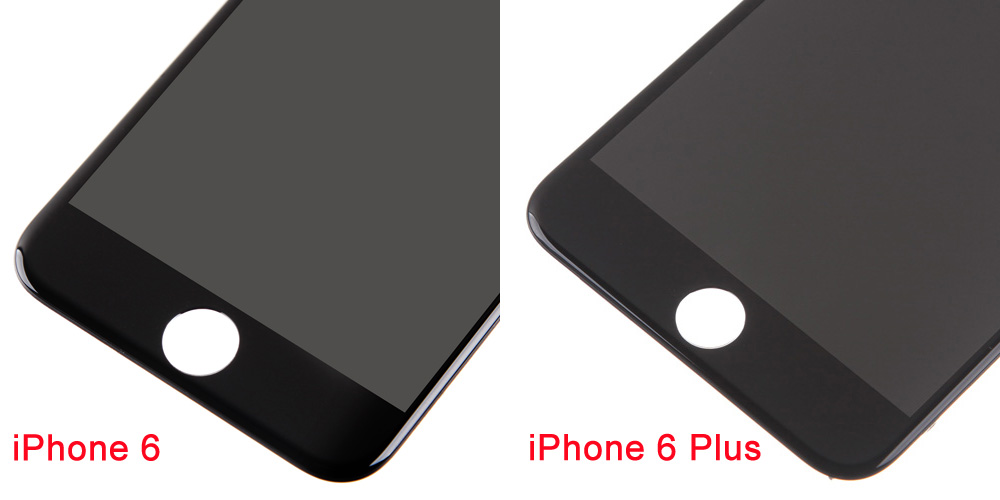
Looking at the picture below, we can see that the iPhone 6 shares exact the same Home Button hole with the iPhone 6 Plus. Perhaps their home buttons are compatible with each other. After careful examination and tests, we proved that the iPhone 6 Home Button Assembly with Flex Ribbon can be used on the iPhone 6 Plus. So if your iPhone 6 Home Button unfortunately fail to function, you can buy an iPhone 6 Plus Home Button Assembly with Flex Ribbon replacement instead.
iphone 6, 6 Plus Screen Comparison 6
Exploring deeper, we can see that the iPhone 6 and iPhone 6 Plus LCD and Digitizer Flex Ribbons are different shapes, as well as the frames. So, the iPhone 6 LCD Frame and iPhone 6 Rear Housing are also different from the iPhone 6 Plus’ internal design even aside of the obvious size difference. That’s to say, Apple has spared no extra efforts, the iPhone 6 Plus is not just a “bigger than bigger” iPhone 6.
iphone 6, 6 Plus Screen Comparison 4
iphone 6, 6 Plus Screen Comparison 5
All in all, the iPhone 6 and iPhone 6 Plus have common Home Buttons even though their screens have apparent differences such as size, resolution, design etc.
If you want to learn more information besides a screen comparison, please read our other article:What are the Differences Between iPhone 6 Plus, iPhone 6 and iPhone 5S